

In today’s competitive market, hundreds of businesses sell similar products and services. The big question is: why should customers choose you over others? The answer is brand positioning. What is Brand Positioning? Brand positioning is how your brand is seen in the minds of your target customers compared to your competitors. It’s about creating a unique image, message, and value that makes people remember and prefer your brand. Example: That’s brand positioning in action. Why Brand Positioning is Important Steps to Create Strong Brand Positioning Step 1: Know Your Target Audience Step 2: Study Your Competitors Step 3: Define Your Unique Value (USP) Step 4: Craft Your Brand Message Step 5: Choose the Right Marketing Channels Step 6: Stay Consistent Applications of Brand Positioning Conclusion Brand positioning is not just about logos or slogans — it’s about how people feel and think about your brand. With the right steps, you can stand out, build trust, and attract loyal customers. In simple words: Position your brand where customers see you as the best choice.
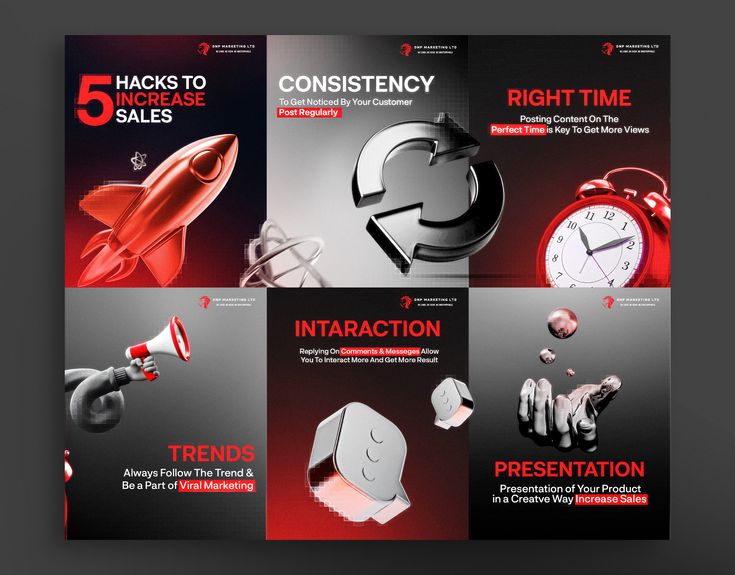
Carousel Ads: Types and How to Use Them for Better Marketing
In digital marketing, businesses need creative ways to grab attention. One of the best tools for this is Carousel Ads. They are popular on platforms like Facebook, Instagram, and LinkedIn because they let you show more than one product, service, or idea in a single ad. What are Carousel Ads? A Carousel Ad is a type of digital advertisement that allows you to display multiple images or videos in one ad unit, which users can swipe through. Each “card” in the carousel can have: This makes carousel ads interactive and engaging, compared to a single-image ad. Types of Carousel Ads Applications of Carousel Ads Why Use Carousel Ads? Conclusion Carousel Ads are one of the most effective tools in digital marketing because they let you showcase multiple products, tell stories, and engage users in a swipe-friendly format. Whether you run an e-commerce store, a service business, or a brand campaign, carousel ads can help you increase clicks, boost sales, and improve brand awareness. If you’re looking for ads that stand out on Facebook, Instagram, or LinkedIn, start experimenting with carousel ads today.
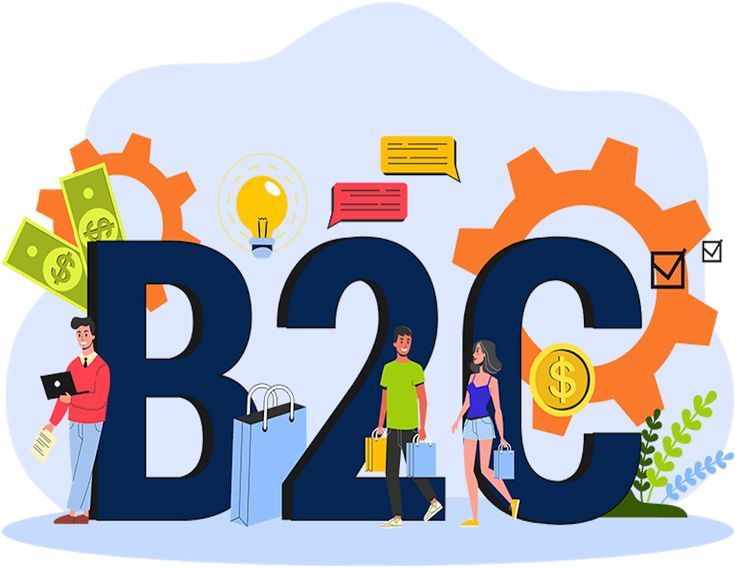
What is B2C in Digital Marketing? A Beginner-Friendly Guide
When businesses sell online, they either sell to other businesses (B2B) or directly to everyday people. That second one is called B2C. What is B2C? B2C means Business-to-Consumer. It’s when a company sells products or services directly to individual customers. Examples of B2C: So, B2C digital marketing is all about using online tools to reach and sell to regular people like you and me. Why B2C Digital Marketing is Important Steps to Do B2C Digital Marketing Step 1: Know Your Audience Step 2: Build a User-Friendly Website or Store Step 3: Use Social Media Marketing Step 4: Run Email Marketing Campaigns Step 5: Use SEO and Content Marketing Step 6: Use Paid Ads Step 7: Give Discounts and Promotions Step 8: Focus on Customer Experience Examples of B2C Digital Marketing in Action Conclusion B2C in digital marketing is all about reaching everyday people, grabbing their attention, and making it easy for them to buy. The key is to understand your audience, use social media and email marketing, and provide a great shopping experience. With the right strategy, your brand can stand out, connect with customers, and increase sales.
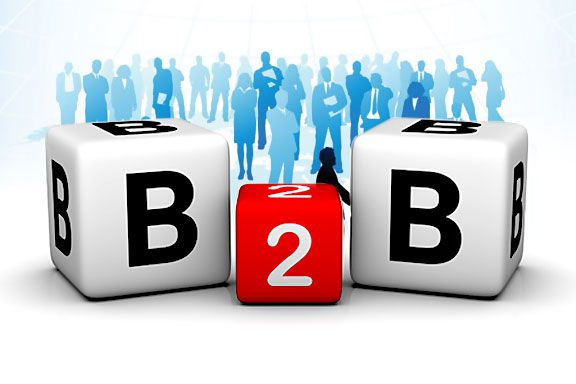
What is B2B in Digital Marketing? A Simple Guide
In the online world, businesses don’t just sell to customers — they also sell to other businesses. That’s where B2B in digital marketing comes in. What is B2B? B2B means Business-to-Business. It’s when one business sells products or services to another business (instead of directly to consumers). Example: So, B2B digital marketing is using online strategies to reach other businesses as customers. Why B2B Digital Marketing is Important Steps to Do B2B Digital Marketing Step 1: Know Your Target Businesses Step 2: Build a Professional Website Step 3: Use Content Marketing Step 4: Use LinkedIn Marketing Step 5: Run Email Marketing Campaigns Step 6: Use SEO (Search Engine Optimization) Step 7: Offer Free Demos or Trials Step 8: Build Long-Term Relationships Examples of B2B Digital Marketing in Action Conclusion B2B in digital marketing is all about helping businesses solve problems and grow. It focuses on building trust, offering value, and using strategies like content marketing, LinkedIn, SEO, and email campaigns. If your target is other businesses, focus less on “selling fast” and more on building strong relationships that lead to long-term success.
Email Content Personalization: What It Is, Why It Matters, and How to Do It
In email marketing, sending the same message to everyone often feels boring and irrelevant. People like emails that speak directly to them. That’s why email content personalization is so powerful. What is Email Content Personalization? Email content personalization means using someone’s personal data (like their name, location, or past actions) inside your email. Instead of sending: You send: It feels personal — and people are more likely to open, read, and click. Why Personalized Emails Are Important Steps to Personalize Emails with Google Sheets or Excel Step 1: Prepare Your Contact List email firstname city product yusuf@gmail.com Yusuf Lagos Shoes david@yahoo.com David Abuja Laptop lisa@outlook.com Lisa Port Harcourt Dress Each column header will become a personalization tag. Step 2: Write Your Email with Tags When writing your email in a tool like Mailmeteor, Mailchimp, or any mail merge tool, you insert placeholders like this: Step 3: How It Appears to Subscribers The tool replaces {{firstname}}, {{city}}, and {{product}} with each person’s real data from your sheet. Example 1 (for Yusuf): Example 2 (for David): See? The email feels personal, even though it’s sent automatically to many people. Extra Tips for Personalized Emails Conclusion Email content personalization turns plain emails into powerful conversations. By setting up a simple Google Sheet or Excel file, adding personalization tags like {{firstname}} or {{city}}, and connecting it with an email tool, you can send emails that feel one-on-one — even if you’re emailing hundreds of people. It’s easy to do, improves engagement, and most importantly, helps you build trust and drive more sales.
Effective Email Subject Lines to Generate Conversions: A Complete Guide
In email marketing, your subject line is like the door to your message. If it’s weak, no one opens it. If it’s strong, it can skyrocket your open rates, click-throughs, and conversions. But here’s the catch: many subject lines also get flagged as spam or pushed into the Promotions tab, reducing their impact. That’s why you need to write them wisely. This guide covers what subject lines are, types, examples, how to make them effective, and what to avoid. What is an Email Subject Line? An email subject line is the short text that shows in your recipient’s inbox before they open the message. It’s like the headline of your email. The right subject line should: I. Grab attention II. Build curiosity or show value III. Encourage the reader to open your email Types of Effective Email Subject Lines (with Examples) 1. Curiosity Subject Lines Spark curiosity without giving everything away. 2. Urgency/Scarcity Subject Lines Push readers to act quickly. 3. Benefit-Driven Subject Lines Show the value or result they’ll get. 4. Personalized Subject Lines Use their name or specific data. 5. Question Subject Lines Make readers stop and think. 6. Number/List Subject Lines Make it short, clear, and scannable. 7. Exclusive/VIP Subject Lines Make them feel special. How to Write Subject Lines That Don’t End Up in Spam or Promotions Best Practices (What to Do) What to Avoid (Spam Triggers) These tricks may boost opens short term but hurt deliverability and trust long term. Quick Guide: Crafting Your Own Effective Subject Line Conclusion A powerful subject line is the key to email marketing success. It decides if your email gets opened or ignored. By using curiosity, urgency, personalization, and value while avoiding spam triggers, you’ll write subject lines that not only grab attention but also drive conversions without hurting your email reputation. Start small, test often, and remember: sometimes the simplest subject line works best.
Email Marketing Made Simple: Step-by-Step Guide Using Mailmeteor
Email marketing is one of the most powerful tools in digital marketing. It lets you talk directly to your customers, share updates, promote offers, and build strong relationships. Unlike social media, where your posts may get lost, emails land straight in your audience’s inbox. But many beginners ask: “How do I start email marketing without expensive software?” That’s where Mailmeteor comes in. It’s a simple tool that works right inside Gmail and Google Sheets — perfect for small businesses, startups, freelancers, and even non-profits. What is Email Marketing? Email marketing is the process of sending emails to a group of people (your subscribers or leads) to promote your products, services, or content. These emails can be: Why Email Marketing Matters Step-by-Step: Start Email Marketing with Mailmeteor Step 1 — Prepare Your Contact List Tip: Keep headers simple. Mailmeteor uses them for personalization. Step 2 — Install Mailmeteor Step 3 — Open Mailmeteor Step 4 — Write Your First Newsletter Example: Step 5 — Add Links, Images, or Attachments (Optional) Step 6 — Add an Unsubscribe Link Always include an unsubscribe link so people can opt out easily. This keeps your emails legal and professional. Mailmeteor can insert this automatically. Step 7 — Test and Preview Step 8 — Send or Schedule Step 9 — Track Performance After sending, you can see: These insights help you improve your future campaigns. Step 10 — Automate Follow-Ups Mailmeteor allows you to set automatic follow-up emails (e.g., send a reminder if someone didn’t open the first email). This boosts response rates and saves time. Best Practices for Email Marketing Conclusions Email marketing is still one of the cheapest and most effective ways to grow your business. With tools like Mailmeteor, you don’t need to be a tech expert or buy expensive software. Just build your list, create a personalized message, and send it directly from Gmail. Over time, you’ll see better engagement, stronger customer relationships, and more sales.
What is an Email Newsletter and Why is it Important?
In the world of digital marketing, staying connected with your audience is key. One of the best ways to do this is through an email newsletter. What is an Email Newsletter? An email newsletter is a type of email sent regularly to subscribers who have chosen to receive updates from your business or brand. It usually contains: Think of it like a digital magazine that lands directly in your audience’s inbox. Importance of Email Newsletters 1. Builds Strong Relationships Newsletters help you stay connected with your customers by providing useful information consistently. 2. Increases Sales By sharing special offers or new products, newsletters can directly drive sales. 3. Grows Brand Awareness Every time subscribers see your email, they are reminded of your brand, which keeps you top of mind. 4. Drives Traffic to Your Website Newsletters often include links to blog posts, landing pages, or product pages, bringing more visitors to your site. 5. Cost-Effective Marketing Compared to ads, running an email newsletter is cheaper and gives you direct access to people who are already interested in your brand. 6. Personalized Communication You can segment your list and send tailored content to different groups (for example, first-time buyers vs. loyal customers). Conclusion An email newsletter is a powerful marketing tool that helps you connect with your audience, build trust, and increase sales — all at a low cost. If you’re not sending newsletters yet, start small: share updates, tips, and offers. Over time, you’ll see how it keeps your customers engaged and helps grow your business.
Lead Magnet Ideas for Better Sales: All You Need to Know
If you run an online business, you know that getting leads is the first step to making sales. But people don’t just give away their email or phone number for free — they need a reason. That’s where lead magnets come in. What is a Lead Magnet? A lead magnet is a valuable free offer that businesses give to potential customers in exchange for their contact information (like email or phone). Think of it as a “magnet” that attracts leads. Once you have their details, you can follow up with email marketing, WhatsApp messages, or SMS campaigns to convert them into paying customers. Why Lead Magnets Are Important Examples of Lead Magnet Ideas That Boost Sales Steps to Create a High-Converting Lead Magnet 1. Know Your Audience Understand your target customers — their problems, needs, and desires. 2. Pick the Right Offer Choose a lead magnet idea that solves one clear problem for them. 3. Keep It Simple Your lead magnet should be quick to use and easy to understand. For example, a one-page checklist often works better than a 50-page ebook. 4. Create a Landing Page Design a page where people can enter their details (email, phone) to get your lead magnet. 5. Deliver the Magnet Send the lead magnet instantly via email, WhatsApp, or direct download. 6. Follow Up with Value Send more helpful content before pitching your paid product or service. This builds trust. 7. Track and Improve Monitor how many people download your lead magnet and how many become paying customers. Adjust if necessary. Tips for Better Results Conclusion A good lead magnet strategy is one of the fastest ways to grow your customer base and increase sales. Whether it’s a free guide, a discount code, or a webinar, the key is to give real value first so people trust your brand and are happy to buy from you later.

Look-Alike Audience: All You Need to Know
In digital marketing, reaching the right people is everything. It’s not just about showing ads — it’s about showing them to people who are most likely to buy. This is where look-alike audiences come in. What is a Look-Alike Audience? A look-alike audience is a group of people who share similar interests, behaviors, or online activities with your existing customers. Advertising platforms like Facebook Ads, Google Ads, and TikTok Ads use data and machine learning to find these people automatically. For example, if your current customers are mostly young professionals who shop online for gadgets, a look-alike audience will find other people with similar habits who might also be interested in your products. How Look-Alike Audiences Work Benefits of Look-Alike Audiences Where You Can Use Look-Alike Audiences Tips for Using Look-Alike Audiences Why Look-Alike Audiences Matter In a competitive online world, businesses can’t afford to waste money targeting the wrong people. Look-alike audiences help you market smarter, not harder. They let you reach fresh, qualified prospects while keeping ad costs under control. Conclusion If you want to grow your business with digital ads, look-alike audiences are one of the most powerful tools available. Whether on Facebook, Google, TikTok, or LinkedIn, they allow you to target people who act just like your best customers — and that means more clicks, more sales, and better results.